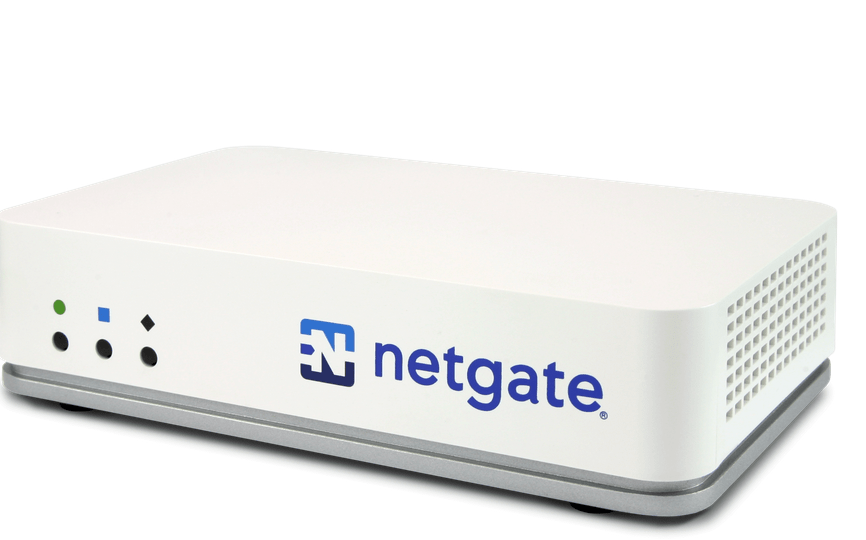
Netgate, the company behind pfSense, is renowned for providing powerful, open-source firewall and router solutions. For many home users, integrating a Netgate appliance into their home network is an ideal way to achieve enterprise-grade security and flexibility. This article takes a deep dive into what makes Netgate appliances suitable for home use, how to set them up, and the potential benefits they bring.
Why Choose Netgate for Your Home Network?
Netgate appliances stand out for several reasons:
- pfSense Software: At the heart of every Netgate appliance is pfSense, a free and open-source firewall/router software that offers a wide array of features such as VPN, traffic shaping, IDS/IPS, and more.
- Enterprise-Grade Security: With built-in tools like firewall rules, intrusion detection/prevention (IDS/IPS), and advanced logging, Netgate appliances provide a high level of protection against external threats.
- Customizability: pfSense is highly customizable, allowing advanced users to tailor the network to their specific needs.
- Scalability: Whether you’re managing a small apartment or a large home with multiple IoT devices, Netgate appliances can handle various network sizes efficiently.
- Cost-Effectiveness: While the initial investment may seem high, the long-term benefits and lack of subscription fees make Netgate appliances an excellent value.
Selecting the right Netgate Appliance
Netgate offers several appliances tailored to different needs:
- Netgate 1100: Ideal for small homes or apartments, offering affordability and compactness without compromising performance.
- Netgate 2100: A step up in processing power, suitable for homes with moderate internet usage and multiple devices.
- Netgate 4100/6100: Designed for power users, these appliances support high-speed connections, advanced features, and larger device counts.
When choosing, consider the following:
- Internet Speed: Ensure the appliance can handle your ISP’s speeds.
- Device Count: More devices typically require a more robust appliance.
- Advanced Features: If you’ll be using VPNs, VLANs, or IDS/IPS extensively, opt for a higher-end model.
Setting Up Your Netgate Appliance
1. Unboxing and Initial Setup
- Connect the WAN port to your modem and the LAN port to a switch or directly to your computer.
- Access the pfSense web interface by navigating to
192.168.1.1in your browser. The default login credentials areadmin/pfsense.
2. Initial Configuration
- Run the Setup Wizard: Follow the step-by-step setup wizard to configure basic settings like hostname, DNS servers, and WAN/LAN interfaces.
- Change Default Passwords: Update both the admin and console passwords immediately to secure the device.
3. Network Configuration
- LAN Setup: Configure your LAN with a subnet that suits your needs (e.g., 192.168.10.0/24).
- DHCP Server: Enable and customize the DHCP server for dynamic IP assignment.
- Port Forwarding: Set up port forwarding rules for services like gaming or hosting a server.
4. Enabling Advanced Features
- Firewall Rules: Create rules to allow or block specific traffic.
- VPN Setup: Configure OpenVPN or WireGuard for secure remote access.
- IDS/IPS: Enable Suricata or Snort to monitor and prevent intrusions.
- VLANs: Segment your network for better organization and security (e.g., separating IoT devices from personal devices).
Benefits of Using Netgate at Home
- Enhanced Security: Protect your network from external threats with a robust firewall, intrusion detection/prevention, and advanced monitoring tools.
- Privacy: Easily configure a VPN to encrypt your internet traffic, ensuring privacy from your ISP and other third parties.
- Traffic Optimization: Use Quality of Service (QoS) and traffic shaping to prioritize critical activities like video calls or gaming.
- IoT Segmentation: Separate IoT devices from your main network to prevent potential vulnerabilities.
- Advanced Logging and Monitoring: Gain full visibility into network traffic and events for troubleshooting or analysis.
Challenges and Considerations
While Netgate appliances are powerful, they come with a learning curve. Here are a few challenges:
- Complexity: pfSense is feature-rich, which can be overwhelming for beginners.
- Cost: Initial investment is higher compared to consumer-grade routers.
- Maintenance: Regular updates and monitoring are required to keep the system secure and efficient.
For those new to Netgate or pfSense, there are abundant resources, including official documentation, forums, and video tutorials, to help you get started.
Integrating a Netgate appliance into your home network is an investment in security, privacy, and performance. While there’s a learning curve, the customization and control offered by pfSense make it well worth the effort for those seeking a robust and reliable networking solution. Whether you’re a tech enthusiast, a work-from-home professional, or someone with a smart home full of IoT devices, Netgate can elevate your home networking experience.
 ID 10 T
Leave a comment